Listening...
"What's the weather like today?"
It's currently 72°F and sunny in San Francisco. Perfect weather for a walk in the park! 🌞
Try saying:
The interface disappears, leaving only content and context-aware interactions. Uses AI, voice, and gestures to anticipate user needs.
Live demo
Listening...
It's currently 72°F and sunny in San Francisco. Perfect weather for a walk in the park! 🌞
Try saying:
The interface disappears, leaving only content and context-aware interactions. Uses AI, voice, and gestures to anticipate user needs.
2020s AI-Era
Effects: Voice recognition UI, gesture detection, AI predictions, progressive disclosure
Paste this into Claude Code, Cursor, v0, Lovable or any coding agent to restyle a page in Zero Interface.
Apply the Zero Interface style to this interface.

What it is: The interface disappears, leaving only content and context-aware interactions. Uses AI, voice, and gestures to anticipate user needs.
Look and feel: Minimal visible UI, Voice-first, Gesture-based, AI-driven, Predictive.
Colors: primary #FAFAFA, #F0F0F0, #F5F1E8; secondary #3B82F6, #9333EA.
Effects and motion: Voice recognition UI, gesture detection, AI predictions, progressive disclosure.

How to build it:
- Keep every existing control, but tuck secondary ones (mode toolbars, nav) behind a disclosure button or reveal them on focus
- Add voice input with the Web Speech API SpeechRecognition, and always keep a typed input fallback
- Show listening and thinking states with an animated orb or waveform and aria-live text; start idle until recognition actually runs
- Offer two or three suggested commands as chips so users know what they can say
- Reveal query, answer and suggestions progressively, keeping one centered prompt or result in focus at a time
- Pre-fill next actions from real context or the existing chips, labelled neutrally ("Suggested"); never claim user history, and allow undo

Works best for: Voice assistants, AI platforms, Smart home, Contextual computing, Ambient.
Avoid it for: Complex workflows, Data-entry heavy, Legacy support, Explicit control. If this product falls into one of those, say so before restyling.

Keep the existing content and layout. Restyle it with the colors above, and add the interactions described.
Meet WCAG AA contrast: where a palette color is too light or bright for text, keep it for backgrounds, borders and large display type and use a darker text color, rather than darkening the whole design. Keep visible focus states, give icon-only controls an accessible name (aria-label) and respect prefers-reduced-motion.Rolling AI coding agents out across a team? Farad Labs runs hands-on AI training.
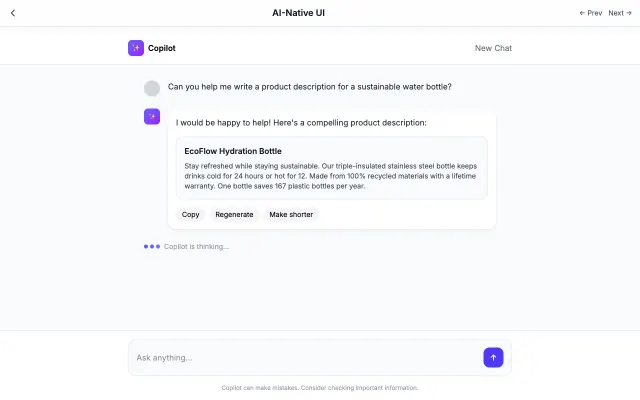
Designed specifically for AI interactions. Features conversational layouts, streaming text, and minimal interface chrome.
Futuristic & Tech
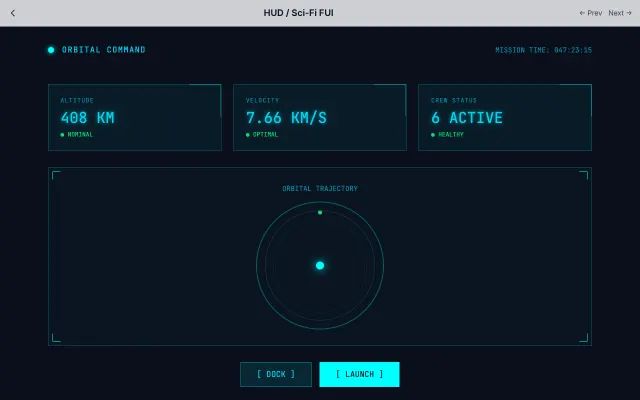
Inspired by movie FUI (Fantasy User Interfaces). Features thin lines, neon colors, and technical data visualization.
Futuristic & Tech
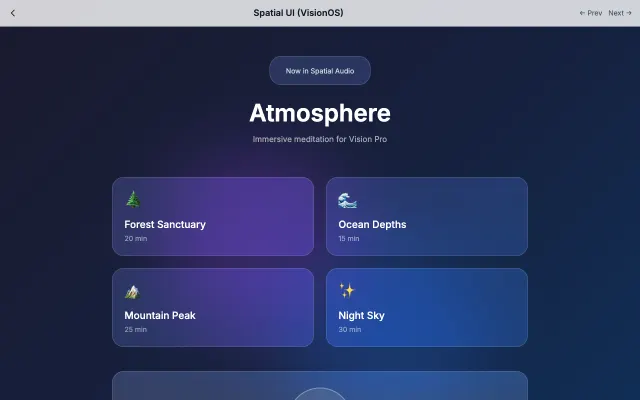
Designed for spatial computing with floating glass panels, depth effects, and gaze-based interactions.
Futuristic & Tech
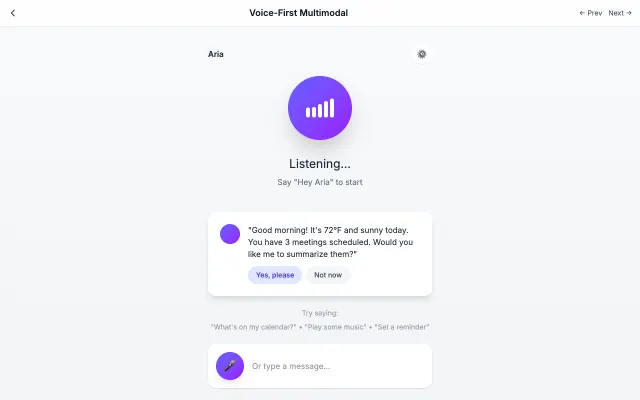
Designed for voice-first interactions with visual feedback for speaking, listening, and processing states.
Futuristic & Tech