Cyberpunk UI
Dark, neon-lit interfaces inspired by cyberpunk fiction. Features terminal aesthetics, glitch effects, and dystopian vibes.
Live demo
// SYSTEM STATUS: ONLINE
DECENTRALIZED
TRADING PROTOCOL
> Execute trades at light speed on the blockchain. Zero trust. Full transparency. Maximum gains.
TVL
$2.4B
+12.4%
VOLUME_24H
$847M
+5.7%
USERS
1.2M
+3.2%
About Cyberpunk UI
Dark, neon-lit interfaces inspired by cyberpunk fiction. Features terminal aesthetics, glitch effects, and dystopian vibes.
Era / origin
2020s Cyberpunk
Key characteristics
- Neon
- Dark mode
- Terminal
- HUD
- Sci-fi
- Glitch
- Dystopian
- Matrix
When to use Cyberpunk UI
- Gaming platforms
- Tech products
- Crypto apps
- Sci-fi applications
- Developer tools
When to avoid it
- Corporate enterprise
- Healthcare
- Family apps
- Elderly users
Common industries
- Fintech & Banking
- Gaming
- Startup & Tech
Cyberpunk UI color palette
- #00FF00
- #FF00FF
- #00FFFF
- #0D0D0D
- #FFD700
- #FF0000
How to build Cyberpunk UI in CSS
Effects: Neon glow (text-shadow), glitch animations, scanlines, terminal fonts
:root {
  --cp-green: #00FF00;
  --cp-magenta: #FF00FF;
  --cp-cyan: #00FFFF;
  --cp-black: #0D0D0D;
  --cp-yellow: #FFD700;
  --cp-red: #FF0000;
}

body {
  background-color: var(--cp-black);
  /* CRT scanlines */
  background-image: repeating-linear-gradient(0deg, transparent 0, transparent 2px, rgba(0, 255, 0, 0.04) 2px, rgba(0, 255, 0, 0.04) 4px);
  color: #D1D5DB;
  font-family: "JetBrains Mono", "Fira Code", ui-monospace, monospace;
}

h1,
h2 {
  color: var(--cp-green);
  font-weight: 700;
  text-transform: uppercase;
  text-shadow: 0 0 40px rgba(0, 255, 0, 0.5);
}

.card {
  padding: 1.5rem;
  border: 1px solid rgba(0, 255, 0, 0.3);
  background: rgba(0, 255, 0, 0.05);
}

.button {
  padding: 1rem 2rem;
  border: 1px solid var(--cp-green);
  background: var(--cp-green);
  color: #000000;
  font-family: inherit;
  font-weight: 700;
  box-shadow: 0 0 20px rgba(0, 255, 0, 0.5);
}

.button--ghost {
  background: transparent;
  color: var(--cp-green);
  box-shadow: none;
}

.button--ghost:hover {
  background: rgba(0, 255, 0, 0.1);
}

.button:focus-visible {
  outline: 2px solid var(--cp-cyan);
  outline-offset: 3px;
}

@keyframes glitch {
  0%,
  100% {
    text-shadow: -2px 0 var(--cp-magenta), 2px 0 var(--cp-cyan);
  }
  50% {
    text-shadow: 2px 0 var(--cp-magenta), -2px 0 var(--cp-cyan);
  }
}

.glitch:hover {
  animation: glitch 0.3s steps(2) infinite;
}

@media (prefers-reduced-motion: reduce) {
  .glitch:hover {
    animation: none;
  }
}Use Cyberpunk UI with an AI coding agent
Paste this into Claude Code, Cursor, v0, Lovable or any coding agent to restyle a page in Cyberpunk UI.
Apply the Cyberpunk UI style to this interface.

What it is: Dark, neon-lit interfaces inspired by cyberpunk fiction. Features terminal aesthetics, glitch effects, and dystopian vibes.
Look and feel: Neon, Dark mode, Terminal, HUD, Sci-fi, Glitch, Dystopian, Matrix.
Colors: primary #00FF00, #FF00FF, #00FFFF, #0D0D0D; secondary #FFD700, #FF0000.
Effects and motion: Neon glow (text-shadow), glitch animations, scanlines, terminal fonts.

Reference CSS (put these class names on the matching elements, or map them onto existing components and class names; avoid long structural selectors):
```css
:root {
  --cp-green: #00FF00;
  --cp-magenta: #FF00FF;
  --cp-cyan: #00FFFF;
  --cp-black: #0D0D0D;
  --cp-yellow: #FFD700;
  --cp-red: #FF0000;
}

body {
  background-color: var(--cp-black);
  /* CRT scanlines */
  background-image: repeating-linear-gradient(0deg, transparent 0, transparent 2px, rgba(0, 255, 0, 0.04) 2px, rgba(0, 255, 0, 0.04) 4px);
  color: #D1D5DB;
  font-family: "JetBrains Mono", "Fira Code", ui-monospace, monospace;
}

h1,
h2 {
  color: var(--cp-green);
  font-weight: 700;
  text-transform: uppercase;
  text-shadow: 0 0 40px rgba(0, 255, 0, 0.5);
}

.card {
  padding: 1.5rem;
  border: 1px solid rgba(0, 255, 0, 0.3);
  background: rgba(0, 255, 0, 0.05);
}

.button {
  padding: 1rem 2rem;
  border: 1px solid var(--cp-green);
  background: var(--cp-green);
  color: #000000;
  font-family: inherit;
  font-weight: 700;
  box-shadow: 0 0 20px rgba(0, 255, 0, 0.5);
}

.button--ghost {
  background: transparent;
  color: var(--cp-green);
  box-shadow: none;
}

.button--ghost:hover {
  background: rgba(0, 255, 0, 0.1);
}

.button:focus-visible {
  outline: 2px solid var(--cp-cyan);
  outline-offset: 3px;
}

@keyframes glitch {
  0%,
  100% {
    text-shadow: -2px 0 var(--cp-magenta), 2px 0 var(--cp-cyan);
  }
  50% {
    text-shadow: 2px 0 var(--cp-magenta), -2px 0 var(--cp-cyan);
  }
}

.glitch:hover {
  animation: glitch 0.3s steps(2) infinite;
}

@media (prefers-reduced-motion: reduce) {
  .glitch:hover {
    animation: none;
  }
}
```

Works best for: Gaming platforms, Tech products, Crypto apps, Sci-fi applications, Developer tools.
Avoid it for: Corporate enterprise, Healthcare, Family apps, Elderly users. If this product falls into one of those, say so before restyling.

Change the visual design only: keep the existing layout, content and behaviour.
Meet WCAG AA contrast: where a palette color is too light or bright for text, keep it for backgrounds, borders and large display type and use a darker text color, rather than darkening the whole design. Keep visible focus states, give icon-only controls an accessible name (aria-label) and respect prefers-reduced-motion.Rolling AI coding agents out across a team? Farad Labs runs hands-on AI training.
Styles like Cyberpunk UI
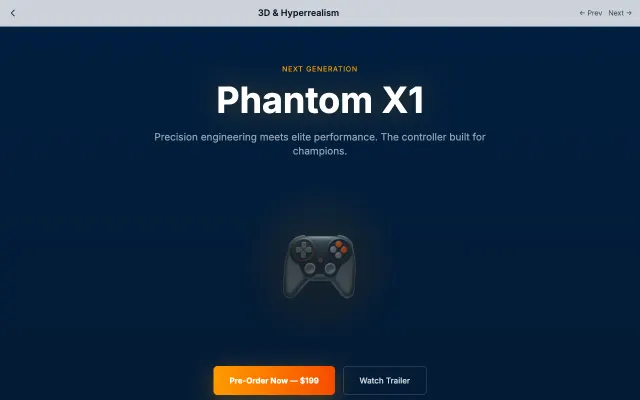
3D & Hyperrealism
Creates immersive experiences through realistic 3D rendering, complex textures, and spatial depth. Best suited for showcasing products or creating game-like interfaces.
Gaming & Entertainment
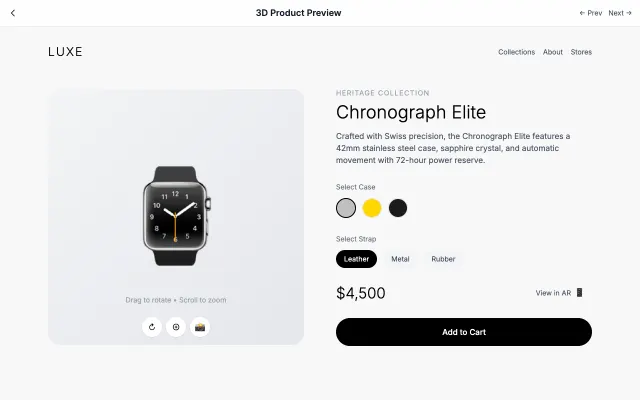
3D Product Preview
Interactive 3D product visualization with rotation, zoom, and AR capabilities.
Gaming & Entertainment
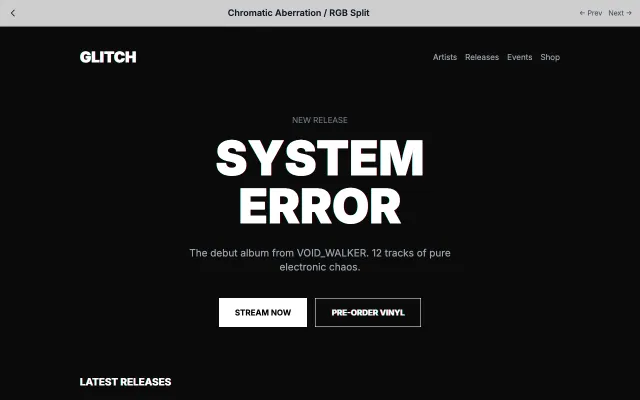
Chromatic Aberration / RGB Split
Recreates the chromatic aberration effect from cameras and VHS tapes with RGB channel splitting.
Gaming & Entertainment
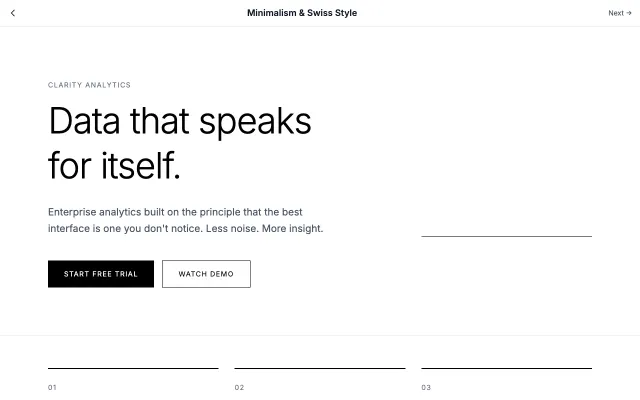
Minimalism & Swiss Style
Rooted in the Swiss International Style of the 1950s, this approach emphasizes clarity, readability, and objectivity. Uses grid-based layouts, sans-serif typography, and generous white space to create functional, timeless designs.
Modern SaaS