3D & Hyperrealism
Creates immersive experiences through realistic 3D rendering, complex textures, and spatial depth. Best suited for showcasing products or creating game-like interfaces.
Live demo
Next Generation
Precision engineering meets elite performance. The controller built for champions.
1ms
Response Time
8000
DPI Precision
80h
Battery Life
16.8M
RGB Colors
Built for Victory
Hall Effect Triggers
Zero stick drift. Ever. Our magnetic sensors last forever.
Pro Grip Texture
Tournament-tested rubberized grip for marathon sessions.
Instant Mapping
Remap any button on the fly. No software required.
About 3D & Hyperrealism
Creates immersive experiences through realistic 3D rendering, complex textures, and spatial depth. Best suited for showcasing products or creating game-like interfaces.
Era / origin
2020s Modern
Key characteristics
- Depth
- Realistic textures
- 3D models
- Spatial navigation
- Immersive
When to use 3D & Hyperrealism
- Gaming
- Product showcase
- Immersive experiences
- Architectural viz
When to avoid it
- Low-end mobile
- Performance-limited
- Data tables/forms
Common industries
- E-commerce
- Entertainment & Media
- Gaming
- Real Estate
3D & Hyperrealism color palette
- #001F3F
- #0A1628
- #F59E0B
- #EA580C
- #FFD700
- #C0C0C0
How to build 3D & Hyperrealism
Effects: WebGL/Three.js 3D, realistic shadows, physics lighting, parallax (3-5 layers)
- If a glTF model exists, render it in a lazy-loaded Three.js canvas with PBR materials, an HDRI environment and one shadow-casting key light
- Without 3D assets, fake depth in CSS: a lit plinth with radial highlight and contact shadow, a perspective-tilted product image and layered box-shadows
- Add 3–5 parallax depth layers driven by pointer or scroll, moving HTML layers with transform: translate3d
- Provide a static fallback (poster image or the CSS-styled product) on low-end devices, WebGL failure or prefers-reduced-motion
- Keep text, forms and data in plain HTML over the scene, never rendered inside the canvas
- Reserve amber and orange for highlights and calls to action; give icon slots glossy tiles only when they hold a real icon
Use 3D & Hyperrealism with an AI coding agent
Paste this into Claude Code, Cursor, v0, Lovable or any coding agent to restyle a page in 3D & Hyperrealism.
Apply the 3D & Hyperrealism style to this interface.

What it is: Creates immersive experiences through realistic 3D rendering, complex textures, and spatial depth. Best suited for showcasing products or creating game-like interfaces.
Look and feel: Depth, Realistic textures, 3D models, Spatial navigation, Immersive.
Colors: primary #001F3F, #0A1628, #F59E0B, #EA580C; secondary #FFD700, #C0C0C0.
Effects and motion: WebGL/Three.js 3D, realistic shadows, physics lighting, parallax (3-5 layers).

How to build it:
- If a glTF model exists, render it in a lazy-loaded Three.js canvas with PBR materials, an HDRI environment and one shadow-casting key light
- Without 3D assets, fake depth in CSS: a lit plinth with radial highlight and contact shadow, a perspective-tilted product image and layered box-shadows
- Add 3–5 parallax depth layers driven by pointer or scroll, moving HTML layers with transform: translate3d
- Provide a static fallback (poster image or the CSS-styled product) on low-end devices, WebGL failure or prefers-reduced-motion
- Keep text, forms and data in plain HTML over the scene, never rendered inside the canvas
- Reserve amber and orange for highlights and calls to action; give icon slots glossy tiles only when they hold a real icon

Works best for: Gaming, Product showcase, Immersive experiences, Architectural viz.
Avoid it for: Low-end mobile, Performance-limited, Data tables/forms. If this product falls into one of those, say so before restyling.

Change the visual design only: keep the existing layout, content and behaviour.
Meet WCAG AA contrast: where a palette color is too light or bright for text, keep it for backgrounds, borders and large display type and use a darker text color, rather than darkening the whole design. Keep visible focus states, give icon-only controls an accessible name (aria-label) and respect prefers-reduced-motion.
Rolling AI coding agents out across a team? Farad Labs runs hands-on AI training.
Styles like 3D & Hyperrealism
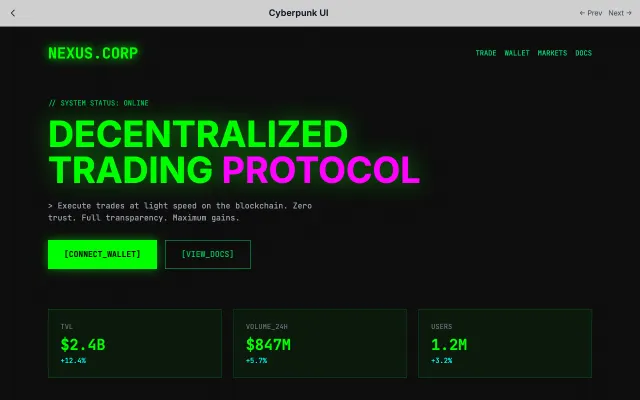
Cyberpunk UI
Dark, neon-lit interfaces inspired by cyberpunk fiction. Features terminal aesthetics, glitch effects, and dystopian vibes.
Gaming & Entertainment
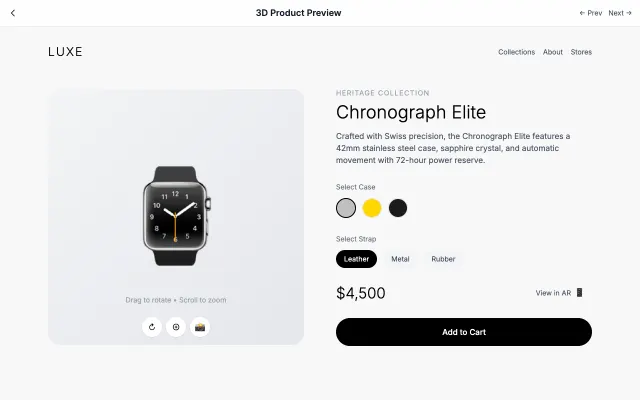
3D Product Preview
Interactive 3D product visualization with rotation, zoom, and AR capabilities.
Gaming & Entertainment
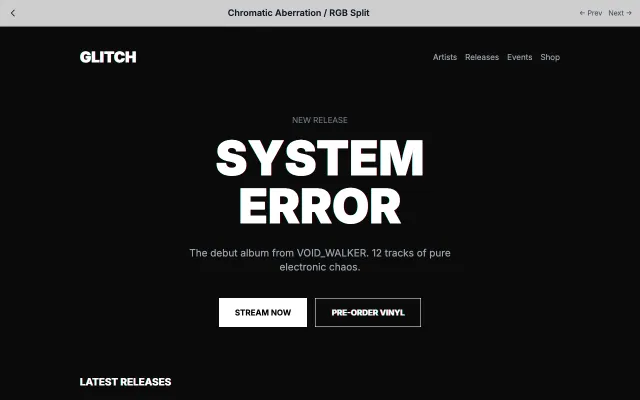
Chromatic Aberration / RGB Split
Recreates the chromatic aberration effect from cameras and VHS tapes with RGB channel splitting.
Gaming & Entertainment

Glassmorphism
Inspired by frosted glass, this style creates depth through transparency and blur effects. Perfect for layered interfaces where content hierarchy is important.
Modern SaaS